

📌 Revopoint POP 3 3D Scanner Review: Best Under $1000 Right Now
3D scanning technology has evolved dramatically since its inception in the 1960s. Over the last decade, it has transformed from a niche, professional tool into an accessible powerhouse for makers and hobbyists. This surge in accessibility is thanks to significant advancements that have delivered high-accuracy, user-friendly scanners at consumer-friendly prices. After extensive testing, one device stands out in the sub-$1000 category: the Revopoint POP 3. This review dives deep into its performance, features, and whether it lives up to the hype.
自20世纪60年代诞生以来,3D扫描技术经历了翻天覆地的演变。在过去十年中,它已从一个小众的专业工具转变为创客和爱好者触手可及的强大设备。这种可及性的激增得益于显著的技术进步,使得高精度、用户友好的扫描仪以消费者友好的价格面世。经过广泛测试,在千元以下类别中,有一款设备脱颖而出:Revopoint POP 3。本评测将深入探讨其性能、特点,以及它是否名副其实。
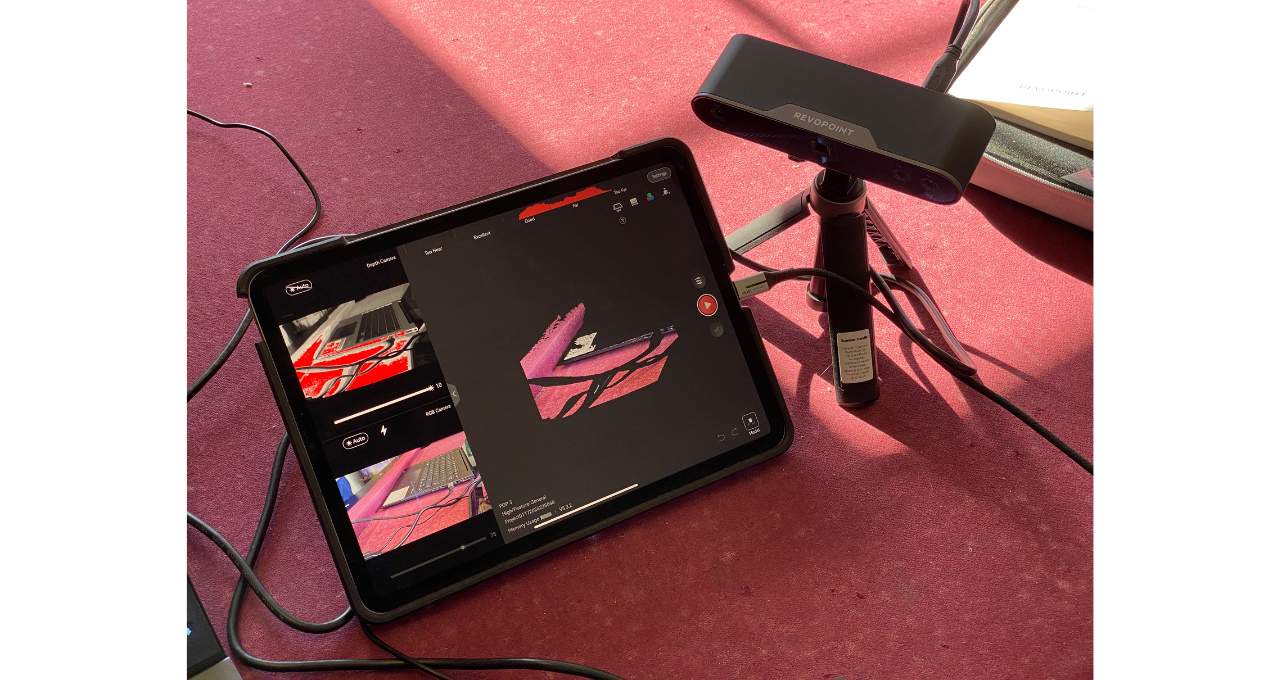
Priced at just under $600, the Revopoint POP 3 is a remarkably versatile 3D scanner designed for the modern creator. It boasts multiple scanning modes to capture objects of virtually any shape or size, from intricate mechanical parts to full-body selfies. The magic continues in the accompanying Revo Scan software, which provides robust tools for post-processing, editing, and preparing your 3D models for applications like 3D printing. Impressively, this entire workflow can be managed from your smartphone, tablet, or desktop.
售价仅略低于600美元,Revopoint POP 3是一款专为现代创作者设计的、功能极其多样的3D扫描仪。它拥有多种扫描模式,几乎可以捕捉任何形状或大小的物体,从精密的机械部件到全身自拍。其配套的Revo Scan软件继续施展魔法,提供了强大的工具用于后处理、编辑,并为3D打印等应用准备您的3D模型。令人印象深刻的是,整个工作流程都可以通过您的智能手机、平板电脑或台式机进行管理。
Pros:
优点:
Cons:
缺点:
The Revopoint POP 3 arrives in a premium package, complete with a high-quality felt carrying case. Inside, you’ll find the scanner module itself, a handheld tripod, an electronic turntable, and over ten additional accessories designed to handle a wide variety of scanning scenarios. This comprehensive kit ensures you’re ready to scan objects of different sizes, textures, and complexities right out of the box.
Revopoint POP 3采用高级包装,配有一个高品质的毛毡便携箱。箱内包含扫描仪模块本身、一个手持三脚架、一个电子转盘以及十多个额外配件,旨在应对各种扫描场景。这套全面的套件确保您开箱即用,能够扫描不同尺寸、纹理和复杂度的物体。
Getting started is straightforward. Begin by mounting the scanning module onto the included tripod. Connect the scanner to a power source using the provided USB-C cable—this can be a wall adapter or a USB port on your laptop. Power up the turntable and set it to rotate clockwise (“CW”). Position your object on the turntable and adjust the tripod so the scanner has a clear, framed view of the subject.
上手过程简单明了。首先,将扫描模块安装到附带的三脚架上。使用提供的USB-C线缆将扫描仪连接到电源——可以是墙壁适配器或笔记本电脑的USB端口。启动转盘并将其设置为顺时针旋转(”CW”)。将您的物体放置在转盘上,并调整三脚架,使扫描仪能清晰、完整地框住拍摄对象。
Next, download the Revo Scan software on your chosen device. While the mobile apps are functional, the desktop version (Revo Scan 5) offers the most powerful suite of editing tools for refining your scans. Finally, connect the scanner to your device via Wi-Fi or cable, and you’re ready to start capturing. This seamless setup process highlights the POP 3’s focus on user accessibility, getting you from unboxing to scanning in minimal time.
接下来,在您选择的设备上下载Revo Scan软件。虽然移动应用程序功能齐全,但桌面版本(Revo Scan 5)提供了最强大的编辑工具套件,用于优化您的扫描结果。最后,通过Wi-Fi或线缆将扫描仪连接到您的设备,您就可以开始捕捉了。这个无缝的设置过程凸显了POP 3对用户可及性的关注,让您能在最短时间内从开箱到开始扫描。
Looking for high-quality STL files? Once you’ve scanned your object, you might want to complement it with some premium STL files from our vast library. Browse our extensive collection of ready-to-print 3D printing models at 3dmis.com!
寻找高质
Original source: View Original
🚀 开启你的下一个 3D 打印项目
想要高质量的 STL 文件?浏览我们丰富的优质 3D 模型库,从流行文化角色到桌游 mini,应有尽有——尽在 3dmis.com!
🚀 Start Your Next 3D Printing Project
Looking for high-quality STL files? Browse our vast collection of premium 3D models at 3dmis.com!
📌 编者按:本文改编自行业最新资讯。查看原文
